Automatic backup
The wizard can have a configuration backed up regularly. It sets up a task in the operating system that starts the client directly — the wizard itself does not need to be running.
Set up
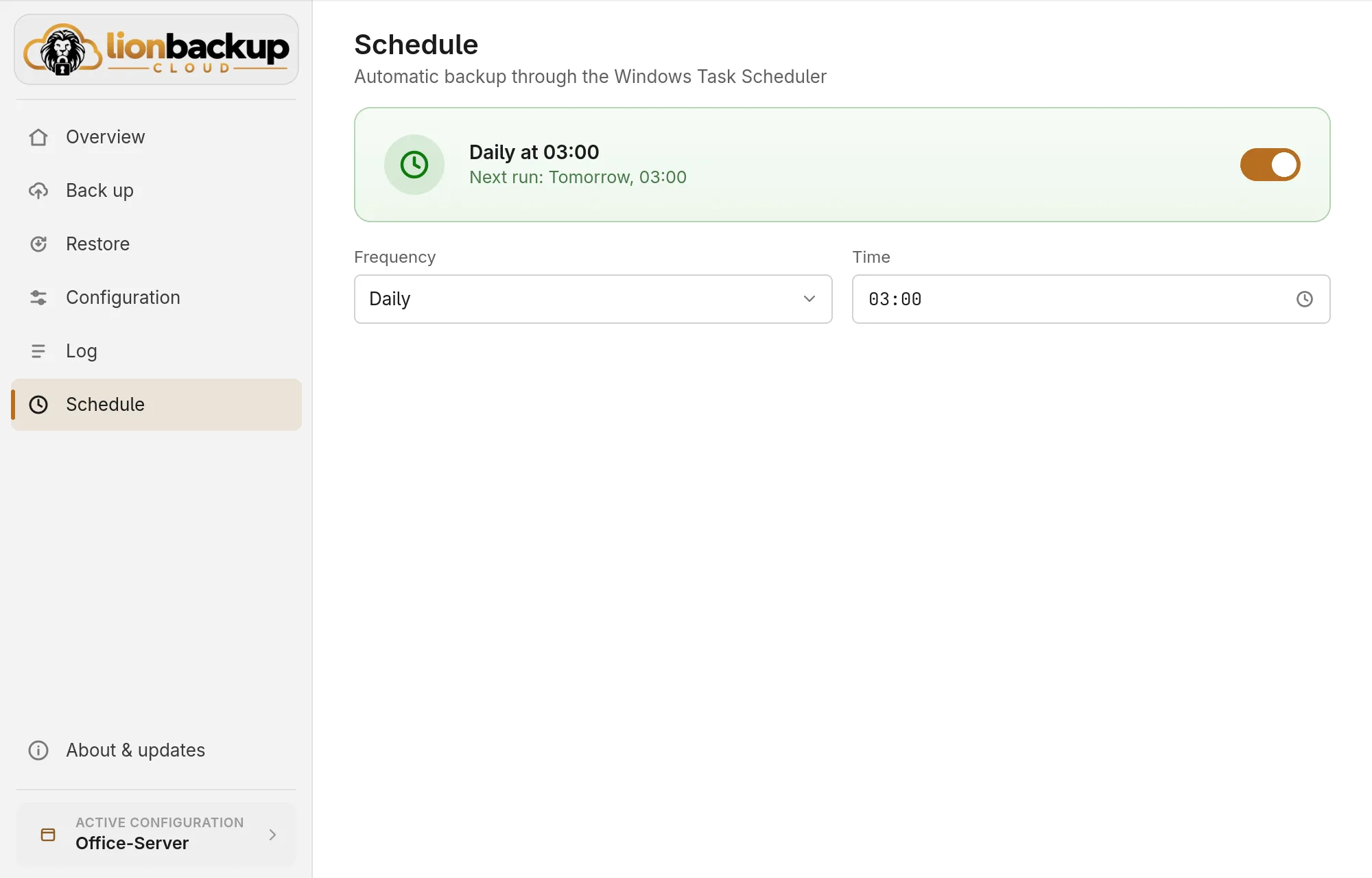
Setup suggests a daily backup at 03:00. Later you change it under Schedule:
- Frequency: Daily, Weekly on one or more weekdays (Repeats on) or Monthly on a Day of the month from 1 to 28.
- Time: a click opens a clock; pick the hour first, then the minute.
- Save schedule applies the change. While the automatic backup is off, the button reads Save & turn on and switches it on as well.
The switch at the top turns the automatic backup on or off. Turning it off asks first and removes the task; you can still back up by hand.
When it runs
- Windows: as SYSTEM, also when nobody is logged on. That way it also backs up files a program holds open — Outlook mailboxes, running databases — through a shadow copy (VSS). Only an administrator may set it up (see Administrator rights).
- Linux: as your user, while your systemd user service runs, which usually means while you are logged in.
- If the computer was off at the scheduled time, the backup is caught up at the next start or login.
- If a backup started from the wizard is running, the scheduled one does not start a second — also when one runs as SYSTEM and the other with your rights.
The Overview shows the next backup, and during a scheduled one the Automatic backup card.
Administrator rights (Windows)
Only an administrator may set up, change or remove a task that runs as SYSTEM. While the wizard runs without these rights, Schedule shows the alarm Administrator rights needed, and the Overview reports it in red.
- If your account is an administrator, Restart as administrator starts the wizard with these rights. Windows asks first.
- If it is not, set up lionbackup with an administrator account. The wizard does not take over another account's lionbackup folder (see lionbackup folder not trusted).
An automatic backup that is set up keeps running and is shown even while the wizard runs without administrator rights; it just cannot be changed then.
The task in the system
- Windows: a task in Task Scheduler named
cloud.lionbackup.<identifier>that runs as SYSTEM, one per configuration. Please change it only in the wizard — it rewrites the task on every save. - Linux: a systemd user timer with the same name.
When it is not available
Instead of the switch, the schedule then gives the reason:
- The client is missing — download it under About & updates.
- The client is older than 0.2.3 — update it under About & updates.
- Administrator rights are missing (Windows) — see Administrator rights. The schedule shows this as an alarm.
- Linux without the systemd user service — for example in a session without its own systemd manager. There you can only back up by hand.